
Statistics Pane
|
Available in VoceVista Pro
The Statistics Pane is only available in VoceVista Pro. |
The Statistics pane enables you to view and export the following types of numerical data about your recordings:
-
pitch (frequency Hz)
-
vibrato (rate and extent)
-
harmonics (number, note, frequency Hz, intensity dB)
-
spectral peaks (number, note, frequency Hz, intensity dB)
-
EGG (contact quotient, dEGG max, dEGG min)
You can view this data for a point in time, or, if you have created a marker and selected it in the Files / Markers window, you can view the mean values for each of these properties for that period of time.
The following image contains the information about the harmonics at a point in time in the recording displayed in the Statistics pane.
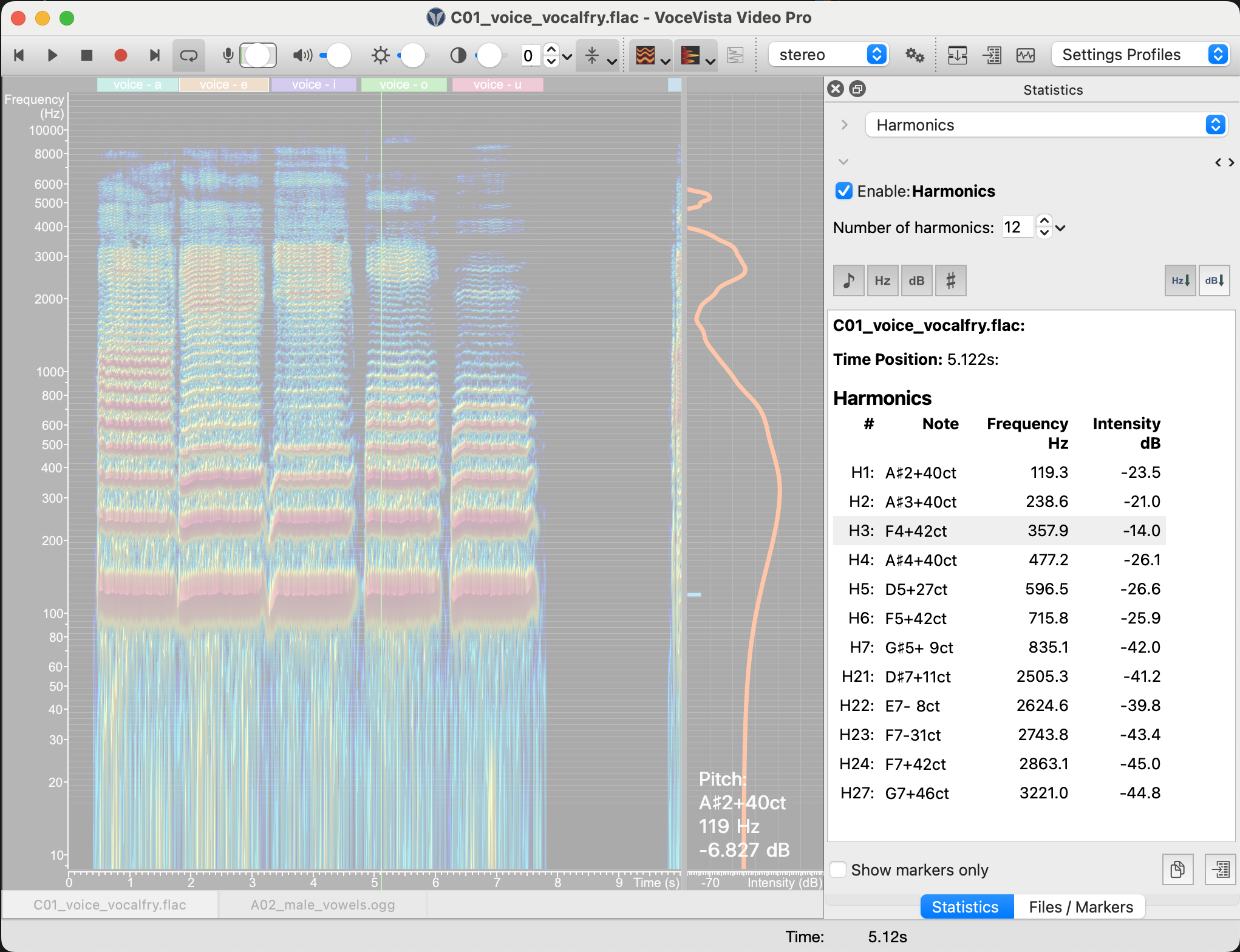
To view the statistics for a recording:
-
Select a point in time in the spectrogram or select a marker on the Files/Markers pane.
-
Select to view the Statistics pane, if not visible.
-
Select one or more of the statistics you want to view from the dropdown checkbox that appears near the top of the Statistics pane (pitch, vibrato, harmonics, spectral peaks, EGG).
-
Either (optional step)
-
Click the Copy statistics result to clipboard icon at the bottom of the Statistics pane and paste the data into another application
OR -
Click the Open export data dialog icon at the bottom of the Statistics pane to open a dialog box where you can specify in greater detail the data which will be exported as a file in Microsoft Excel format.
-