
Vibrato Display Settings
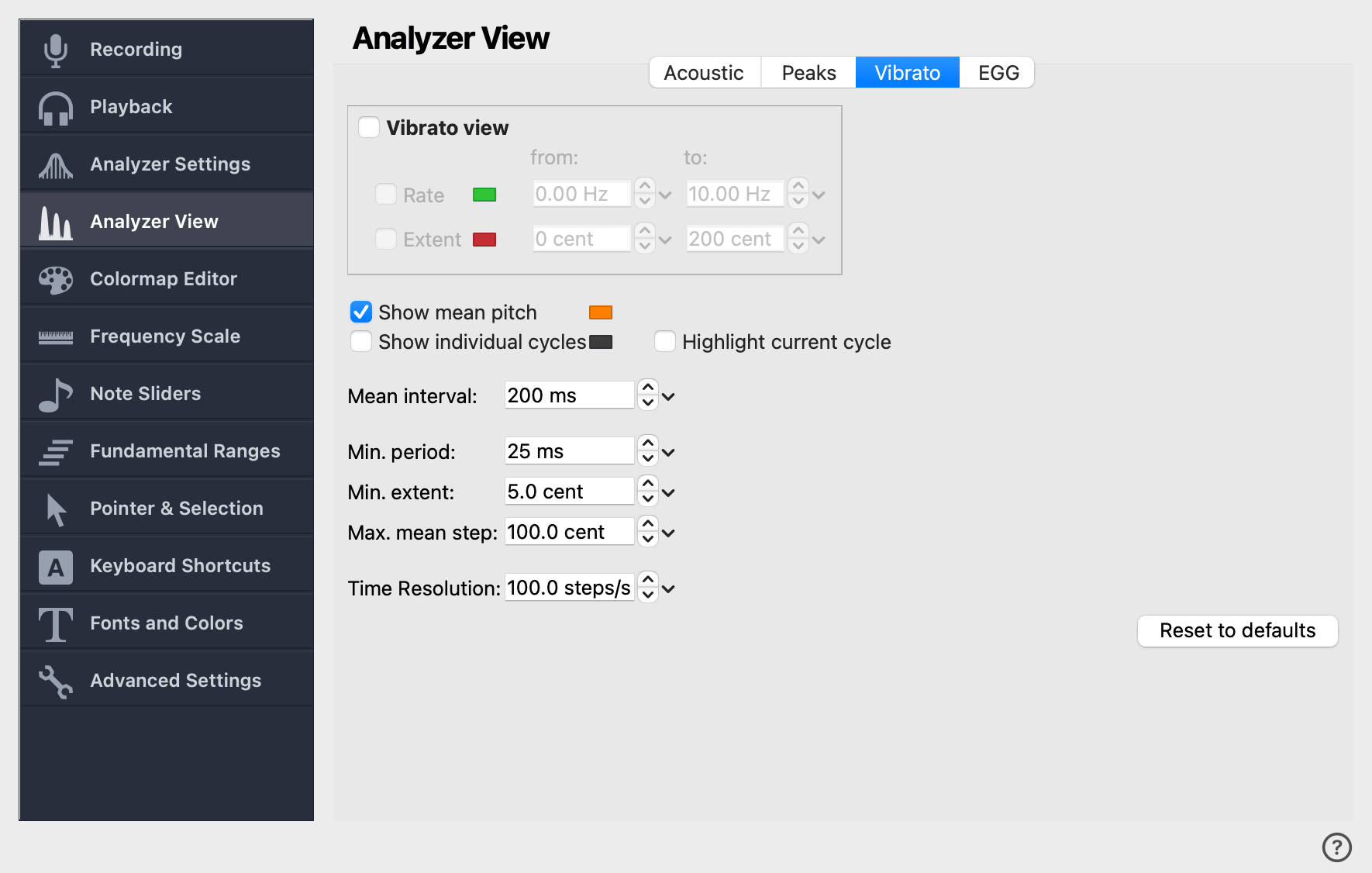
This page controls the appearance of the Vibrato View pane and the parameters of the underlying vibrato analysis. The page is divided into three groups: what the Vibrato View shows, what is drawn on top of the spectrogram, and the detection thresholds used by the analyzer.
Vibrato view
The boxed group at the top of the page configures the Vibrato View itself. The top checkbox toggles the view entirely; when it is off the other controls in this group are disabled.
Overlays on the spectrogram
These checkboxes draw vibrato-related lines on top of the spectrogram rather than inside the Vibrato View.
Show mean pitch
Draw the mean pitch line — the slowly-varying centre around which vibrato oscillates — on top of the spectrogram. Useful for separating the melodic line from the vibrato modulation. The color button to the right sets the line color.
Show individual cycles
Mark the boundaries of each detected vibrato cycle on the spectrogram. Useful when tuning the detection thresholds or verifying that the analyzer is locking on to the intended cycles.
Highlight current cycle
When Show individual cycles is on and the Statistics Pane is active, highlight the boundaries of the cycle that the Statistics Pane is currently reporting on. Lets you see which exact cycle the displayed numbers refer to.
Detection thresholds
These numeric fields tune the underlying cycle-detection algorithm. The defaults are appropriate for the singing voice; you usually only need to touch them if the analyzer is splitting one vibrato into several, or merging cycles that should be separate.
- Mean interval
-
The sliding time window used to estimate the mean pitch around each vibrato cycle. Wider windows smooth the mean line; narrower ones follow melodic motion more closely.
- Min. period
-
The shortest cycle duration the analyzer accepts as a vibrato cycle. Oscillations faster than this are ignored — useful for rejecting tremor or jitter at the edges of a sustained note.
- Min. extent
-
The smallest pitch swing (in cents) required for a cycle to count as vibrato. Raise to ignore narrow pitch wobble; lower to detect shallow vibrato.
- Max. mean step
-
The largest jump in mean pitch (in cents) allowed between consecutive cycles. A larger jump terminates the current vibrato segment and starts a new one — which is what you want when a singer moves between sustained notes.