
Fundamental and Overtones
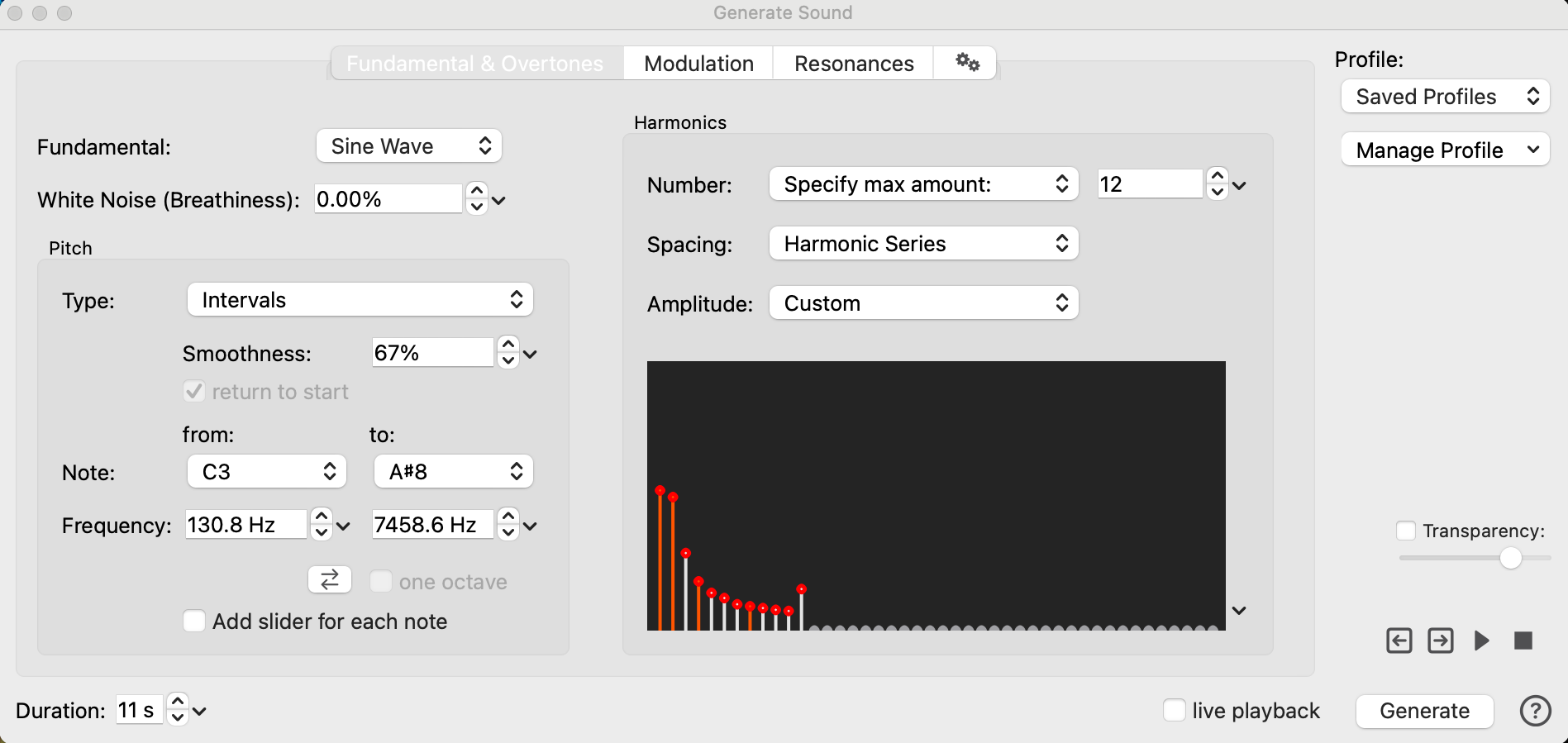
Fundamental
The fundamental is the basic waveform from which the generated sound is composed. You can select from the following types:
-
Sine Wave - The resulting sound is composed of one or more sine waves added together.
-
White Noise - The resulting sound is pure white noise. This fundamental sound type has no additional parameters.
-
Coherent Noise - The resulting sound is somewhere between sine waves and white noise. Coherent noise is a waveform that is more irregular than a sine wave, but still has a frequency.
White Noise (Breathiness)
This setting enables to add a custom amound of pure white noise to the other fundamental waveform types, which can be used to simulate the breathiness of a voice, or the background noise of a recording.
Pitch
The controls in this section determine if the pitch stays constant over the duration of the sound, or if it moves, for example by creating a triad or a scale.
When the selected Type is not Constant Pitch, the pitch moves from the first value in the Note or Frequency fields (from:) to the second value in these fields (to:). Check return to start to have the pitch follow the same pattern from the second note back to the starting note.
Type
The pitch type options are:
-
Constant Pitch - The generated pitch is constant over the entire duration of the sound.
-
Single Step - The generated pitch moves smoothly from the start to the finish note.
-
Major / minor triad - The generated pitch forms a major or minor triad.
-
Major / minor scale - The generated pitch forms a major or minor scale.
-
Fifth and Fourth - The generated pitch moves from the first note to the fourth and then another fifth to the octave.
-
Intervals - The generated pitch moves from the first note to second and then back in intervals of the major scale.
-
Sweep (linear) - The generated pitch forms a straight interpolation along the linear scale.
-
Semitone steps - The generated pitch moves in semitones from the from note to the to note
Harmonics
This section determines the number, spacing, and intensity of the overtones of the sound, which will shape its timbre.
Number
The number of overtones can be anywhere from one (the sound only has the fundamental) up to the maximum that is determined by the sampling rate of the sound. In digital audio, a waveform can represent frequencies of up to half the sampling rate.
For example, with a sampling rate of 44100 Hz, the highest frequency that can be represented is 22050 Hz. Therefore, overtones of up to a maximum of 22050 Hz can be included in the sound.
The options for the Number drop-down are:
-
Specify Max amount - Use the control on the right to specify how many overtones to use. Overtones above the maximum frequency will be ignored.
-
Up to maximum - Include all overtones below the maximum frequency, which is half the sampling rate.
-
Up to frequency - Use the control on the right to specify the frequency below which all overtones will be included (or half the sampling rate, whichever is lower).
Spacing
The spacing of the overtones determines the distance or the ratio between successive overtones. This enables you to create sounds that are based on the natural harmonic series, as well as other sounds that have different frequency ratios between the overtones.
The options for the Spacing drop-down are:
-
Harmonic Series - Each overtone is a whole multiple of the fundamental. For example, if the fundamental is 100 HZ, the overtones will be 200 Hz,300 Hz, 400 Hz, 500 Hz, etc. In this case the overtones will be the harmonics of the fundamental.
-
Octaves - Each overtone has twice the frequency of its predecessor. For a fundamental of 100 Hz, the overtones will be 200 Hz, 400 Hz, 800 Hz, 1600 Hz. In this case the overtones are all octaves of the fundamental.
-
Multiply by - Each overtone has the frequency of its predecessor multiplied by the entered factor. If the factor is 2.0, this is the same as selecting Octaves.
In mathematical terms:frequency(n) = factor*frequency(n-1) -
Fundamental factor - Each overtone has the frequency of the fundamental, multiplied by a factor and by the number of the overtone. If the factor is 1.0, this generates the harmonic series. In other words, the factor sets the distance between consecutive overtones. + In mathematical terms:
frequency(n) = n*factor*fundamental
Amplitude
This section determines the amplitude, or intensity, of successive overtones. The values are measured in decibel (dB). A value of -6 dB corresponds to a reduction of the intensity by half. If the dropoff by octave or overtone is zero, all overtones will have the same intensity. If it is negative, higher overtones will be quieter than the lower ones (this is usually the case in natural sounds).
The options for the Amplitude drop-down are:
-
Tilt (dB/Octave) - The tilt sets the intensity drop per octave. With a value of -6 dB, each octave will be half the intensity of the previous octave.
-
db/Overtone This sets the intensity drop per overtone. Since the overtones follow a linear frequency scale, this setting will create a linear intensity dropoff (unlike the tilt, which will create a logarithmic dropoff).
-
Half intensity / Octave - With this setting, the intensity will drop exactly in half with each octave, which is equivalent to having a tilt of -6,0206 dB per octave. + Each overtone has an intensity that is one over N, where N is the frequency of the overtone divided by the frequency of the fundamental. + In mathematical terms:
intensity(n) = 1/(frequency(n)/fundamental) -
Flat - Select this option to set all of the harmonics at the same amplitude.
-
Custom - This option enables you to click and drag your mouse across the black screen to specify custom amplitude values.