
Note Slider Settings
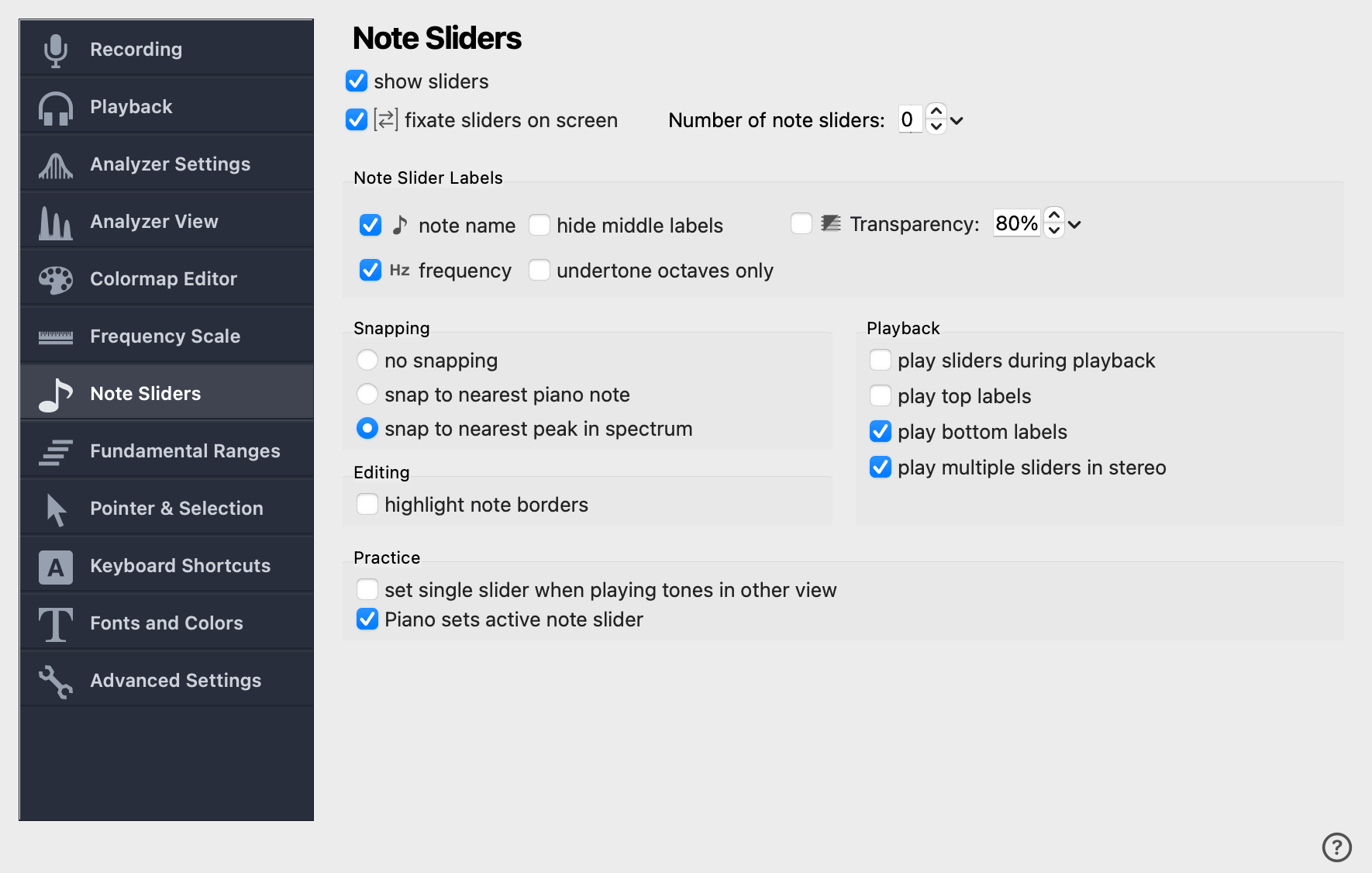
This page configures the appearance and behaviour of the Note Sliders (formerly called Overtone Sliders). Many of these settings are also available on the sliders toolbar.
show sliders
When checked, sliders are drawn on top of the spectrogram and spectrum. When unchecked, the sliders continue to exist (and continue to play back) — they just are not drawn. Useful when you want to hear a slider arrangement without obscuring the visual analysis.
fixate sliders on screen
When checked, sliders stay in the same screen position as the recording scrolls past them — like a measuring overlay. When unchecked, each slider is bound to a specific time range of the recording, like the notes in a piece of music. Time-bound sliders can also be exported as a MIDI file.
Note Slider Labels
Each visible slider position can be labeled with a note name, a frequency in Hz, or both.
note name
Show the nearest tempered note next to each slider label, plus its
distance from the slider’s pitch in cents (e.g. A3+12ct).
hide middle labels
When checked, only the fundamental and the highest visible harmonic (and lowest visible undertone) of each slider show full note name and frequency. Middle harmonics show just their harmonic number, which keeps the display readable when many harmonics are visible.
Snapping
When you drag a slider along the frequency axis, it can snap to nearby landmarks. Hold Alt while dragging to invert the snapping decision temporarily; for the full set of keyboard modifiers (including slider-to-slider snapping) see Note Slider Mouse Commands.
- no snapping
-
Sliders move freely along the frequency axis.
- snap to nearest musical note
-
Sliders snap to the frequency of the nearest tempered tone.
- snap to nearest peak in spectrum
-
Sliders snap to the nearest spectral peak in the current recording at the current cursor position. Useful for accurately measuring prominent frequencies.
Playback
These options control which slider tones are played, and when.
play sliders during playback
When checked, time-bound sliders are played as audio playback progresses past them — turning the slider arrangement into an audible melody on top of the recording. Only applies to time-bound sliders; fixated sliders are not affected.
play top labels
When checked, clicking the fundamental of a slider also plays its highest visible harmonic, so you hear the overtone melody together with the fundamental.
Practice
Two convenience options for practising single notes from a longer arrangement.